


Business: business@xtoolonline.com
Social Media Cooperation: Media@xtoolonline.com
Support: support@xtoolonline.com
Address: E Santa Ana St, Ste A Ontario, CA 91761
If you own a Toyota Camry, there's nothing more confusing than seeing the maintenance required light pop up on your dashboard—especially if you're unsure what it means or how to turn it off. Whether you just finished an oil change or the light lit up out of nowhere, this guide will walk you through resetting the maintenance light on a Toyota Camry for both 2018-2025 and older 2012-2017 models. We'll also cover the hassle-free professional method using the XTOOL D7S scan tool, a must-have for anyone who wants to skip complex button presses and get the job done in seconds.
First things first: let's demystify that little light. The Toyota Camry maintenance light is not a warning light for a broken part—it's a reminder from your vehicle's onboard computer that it's time for routine maintenance. This usually includes oil changes, oil filter replacements, or other scheduled care based on mileage or time.
The golden rule: only reset the light after you've completed the recommended maintenance. Resetting it without doing the work will hide the reminder, which could lead to neglected engine care and costly repairs down the line. For most Camry owners, this means resetting the light every 5,000 to 10,000 miles (or 6 months, whichever comes first) after an oil change.

If you don't have a scan tool on hand, you can reset the maintenance light using your Camry's built-in controls. The steps vary slightly between newer and older models, so we've broken them down clearly.
Newer Camrys (2018 to 2025) have a user-friendly infotainment system that makes resetting a breeze:

Older Camrys rely on physical dashboard buttons instead of the infotainment system. Here's how to do it:
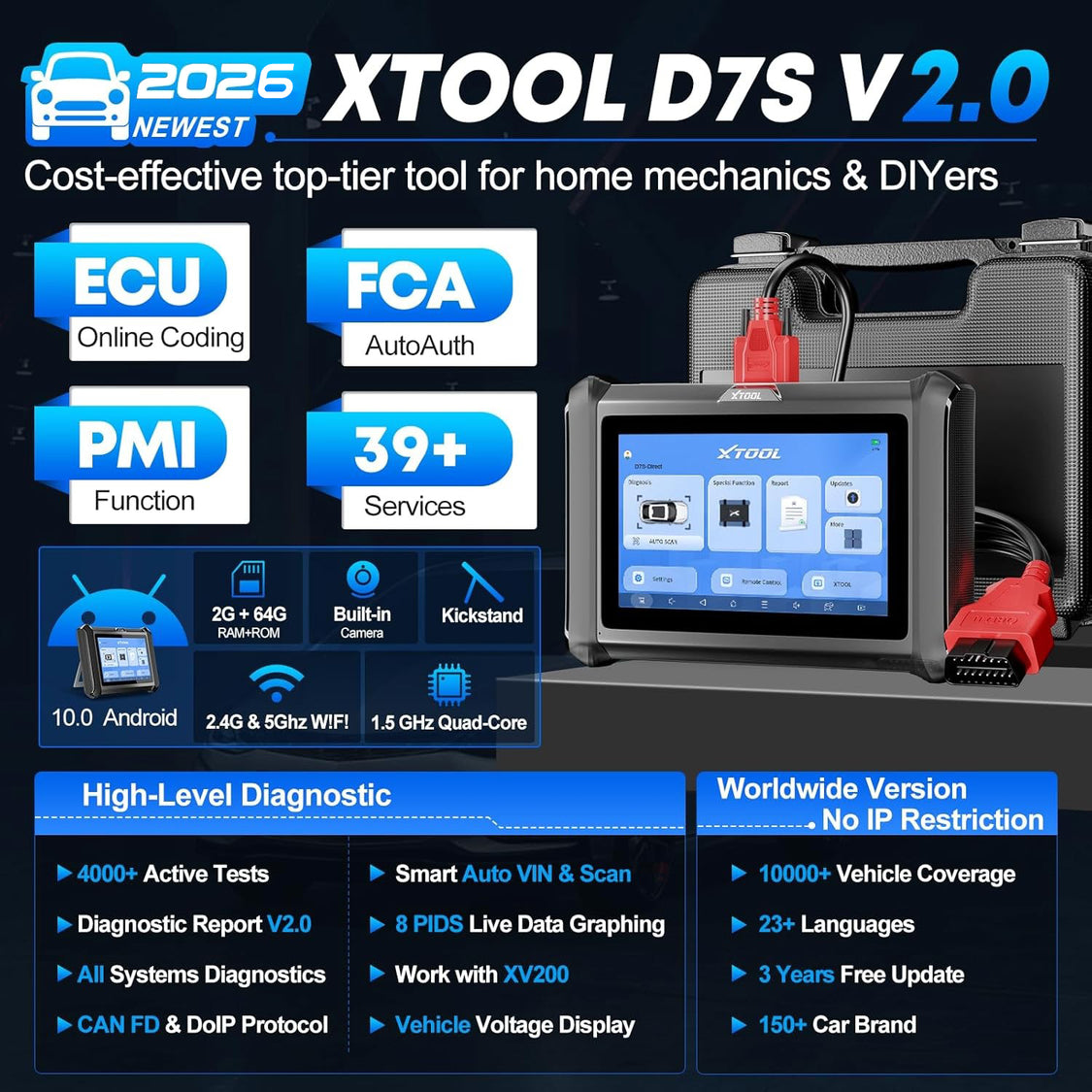
If you're tired of memorizing different steps for different Camry years—or if you own multiple vehicles—the XTOOL D7S professional scan tool is a game-changer. This all-in-one diagnostic tool eliminates the guesswork and adds extra functionality that basic built-in controls can't match.

Even if you follow the steps correctly, you might run into a few hiccups. Here's how to fix the most common problems:
If you're a DIY mechanic, a Camry owner who does regular maintenance, or someone who wants a versatile diagnostic tool for multiple vehicles, the XTOOL D7S is the perfect solution. It turns a confusing, step-heavy process into a 30-second task and gives you access to 39 additional special functions that keep your Camry running like new. With 2 years of warranty and 3 years of free updates, it's a long-term investment that saves you time and money at the mechanic's shop.
A: We strongly advise against it. The maintenance light is a reminder to care for your engine—skipping the oil change and resetting the light will lead to neglected maintenance, which can cause engine damage and costly repairs.
A: Reset it every time you complete scheduled maintenance (usually every 5,000-10,000 miles or 6 months). This ensures your Camry's computer accurately tracks future maintenance needs.
A: If you do your own oil changes and routine maintenance, yes. The XTOOL D7S eliminates the need to memorize complex reset steps, and its 39 special functions mean you can handle more maintenance tasks (like battery matching or ABS bleeding) on your own.
A: Absolutely. It's compatible with most Toyota models (Corolla, RAV4, Highlander, etc.) and offers free updates to support new models for 3 years.

Resetting the maintenance light on your Toyota Camry doesn't have to be a stressful chore. For quick, free fixes, use the built-in controls for your Camry's model year. For a more convenient, all-in-one solution that handles 39 special maintenance tasks, the XTOOL D7S is the tool to trust. With this guide, you'll never be stuck staring at a lit maintenance light again—you'll know exactly how to fix it in minutes.


Business: business@xtoolonline.com
Social Media Cooperation: Media@xtoolonline.com
Support: support@xtoolonline.com
Address: E Santa Ana St, Ste A Ontario, CA 91761